I'm a cinematographer and editor based in Berlin. Over the years, my desk has filled up with external drives: SSDs from client shoots, old hard drives with personal projects, and backup disks with RAW footage from gigs I barely recall. Finding a single file used to mean plugging drives in one by one and waiting for Finder to catch up. By the time I was three drives deep, the goal was forgotten.
Spotlight doesn't help here. It only indexes what's currently connected. Eject a drive and those files disappear from search results on your Mac.
That frustration inspired me to build Offline Files, a solution that actually solves this problem.
What Offline Files does
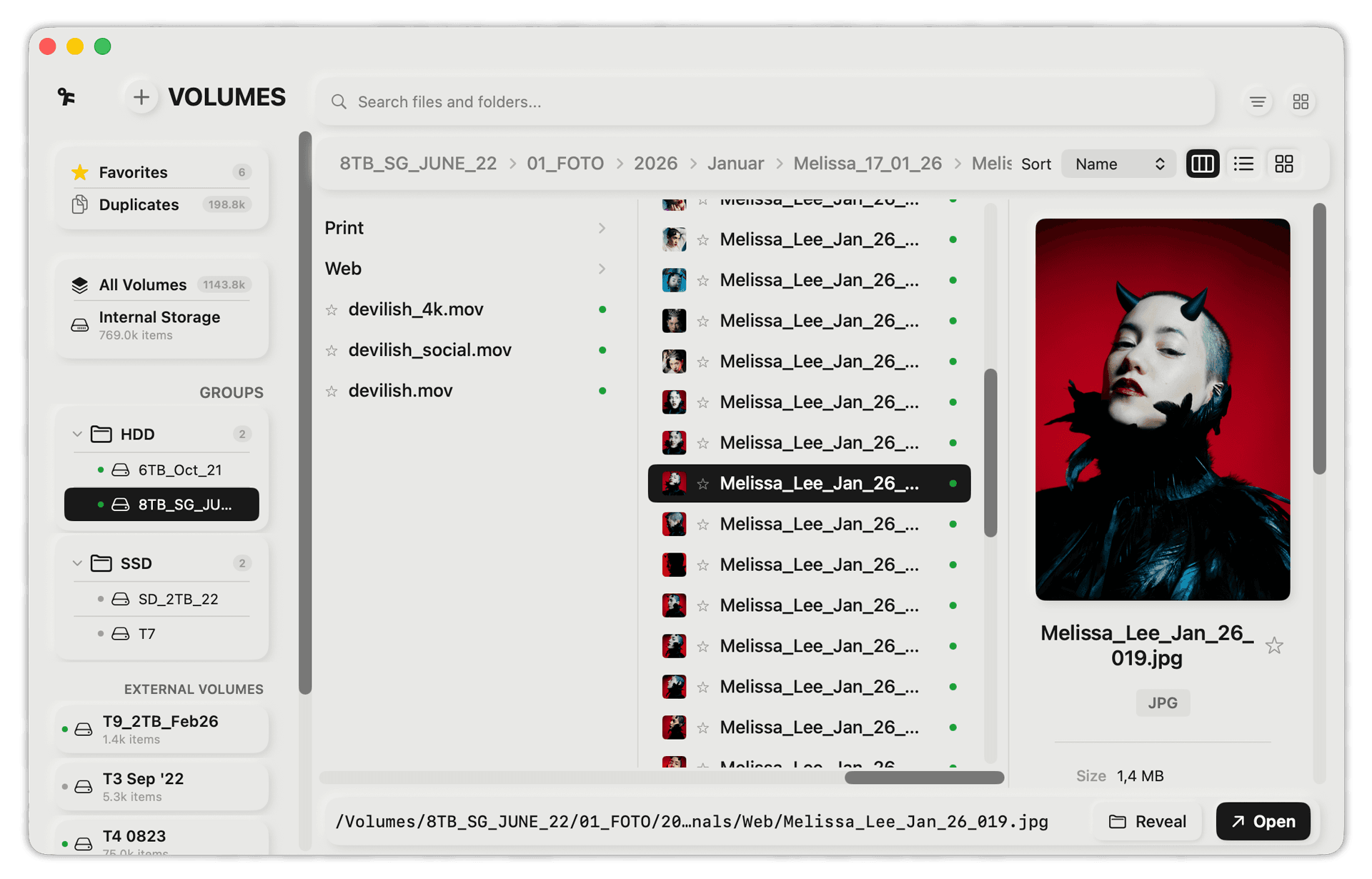
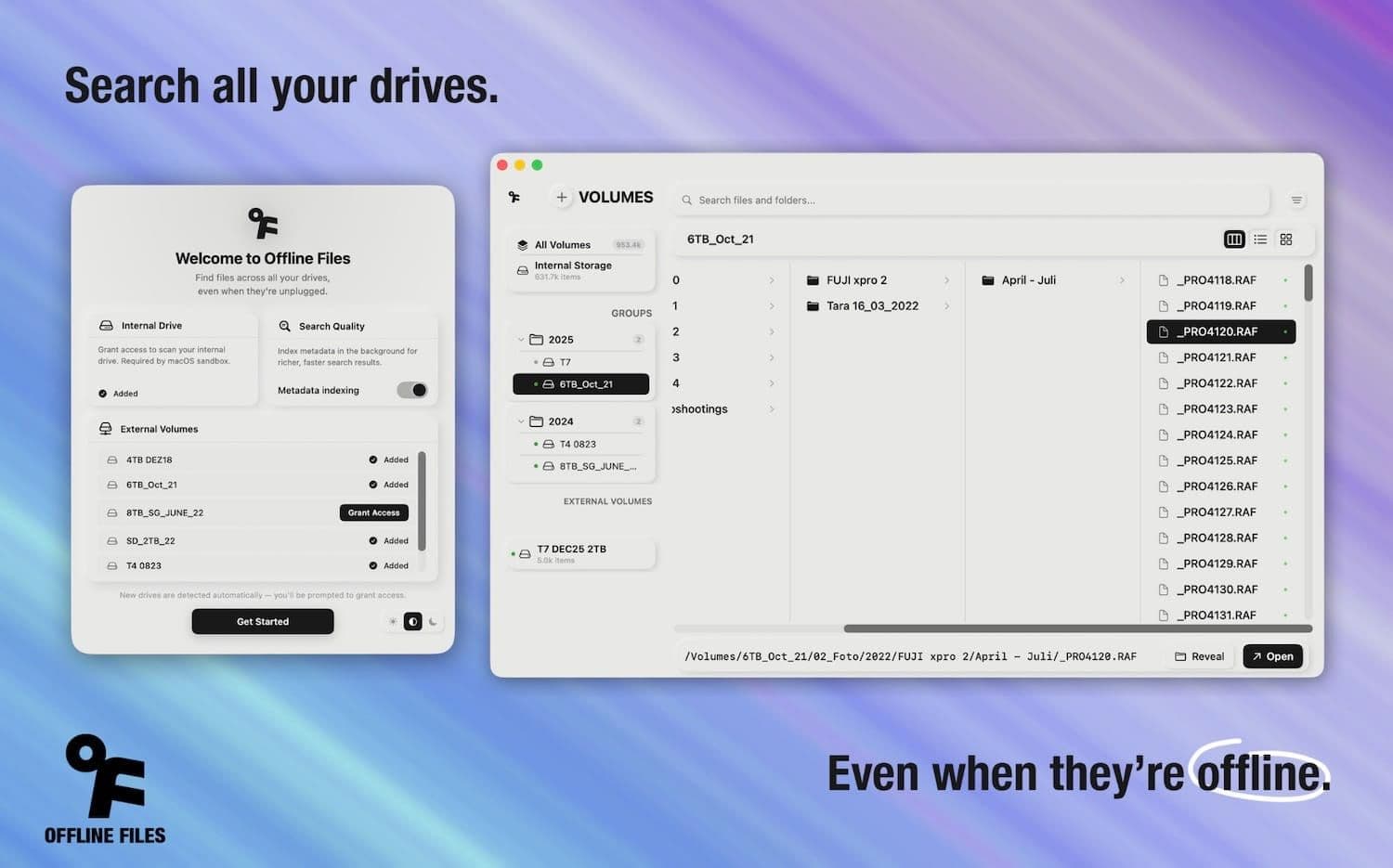
Offline Files is a macOS app that indexes your external drives locally. You plug in a drive once, let the app scan it, and from then on you can search across all your files. Even if the drive sits on a shelf across the room.
No cloud. No subscription. No data leaves your Mac. It stores metadata only: file names, paths, sizes, dates. Not the actual files.
The problem it solves
If you’re a photographer, editor, or anyone working with large media libraries spread across multiple drives, you know the drill:
You need a clip from a shoot two years ago. You know it exists somewhere. But on which drive? You might have eight drives. Maybe twelve. Some are labeled, most aren’t (or the labels stopped making sense months ago).
With Offline Files, you type a file name, hit search, and it tells you exactly which drive it’s on. Search first, plug in second.
What it's not
Offline Files is a search and index tool. It’s not a DAM, not a Lightroom replacement, not a full media asset manager. It doesn’t generate previews for RAW files, doesn’t manage catalogs, doesn’t integrate with your NLE timeline.
It does one thing: it helps you find files on drives that aren’t connected.
Features
The app started simple but grew based on what I actually needed day to day:
- Offline search: the core feature. Search by file name across all indexed drives, whether connected or not. Filter by file type, size, or date range.
- Volume Groups: organize drives into logical groups. I group mine by client or project. Helpful when you have more drives than you can keep track of mentally.
- Duplicate detection: finds identical files across all your drives, sorted by size. Useful when you’ve copied the same folder to three different backups and forgot which is the latest.
- Metadata search: searches camera metadata, lens info, resolution, codec, and more. Not just file names and paths.
- QuickLook integration: preview files directly from search results using macOS QuickLook, with extended metadata display.
- Menubar access: a compact menubar popover showing all your volumes at a glance with storage breakdowns.
- Drive notes: add custom annotations to any volume. “This is the backup from the Tokyo shoot” or “Don’t format, has unreplaced footage.”
Privacy
Everything stays local. The database lives on your Mac. There’s no cloud sync, no account, no analytics, no tracking. The app stores metadata: file names, paths, sizes, dates. Never the files themselves. It doesn’t read, modify, or delete anything on your drives.
Offline Files is available on the Mac App Store. If you work with external drives and want to stop guessing which one has the file you need, give it a try.