The journey started at the end of January 2026.
One build, one idea: index drives locally, search them even when they're unplugged. No cloud, no subscription. Just metadata on your Mac. File names, paths, sizes, dates. Never the files. From day one the feedback started coming in. People wrote in with real workflows: "I have twelve drives." "I need to find a clip from two years ago." "Can I search by lens?" "What about my Finder tags?" That feedback didn't just validate the idea. It shaped the app.
With every round of notes from the community, Offline Files got clearer, deeper, and more useful. PetaPixel, Newsshooter, and others picked it up and put it in front of people who live this problem. The press was kind. The users were kinder: they kept asking for the next thing. So I kept building.
1.20
is where that loop has landed so far. The core is unchanged: you search across all your indexed volumes, connected or not. Filter by type, size, date. Group drives by client or project. Find duplicates across backups. Search by camera metadata, lens, codec, resolution. QuickLook from results, menubar overview, notes on each drive. Everything stays on your Mac. No servers, no accounts, no tracking.
What's new is what you asked for.
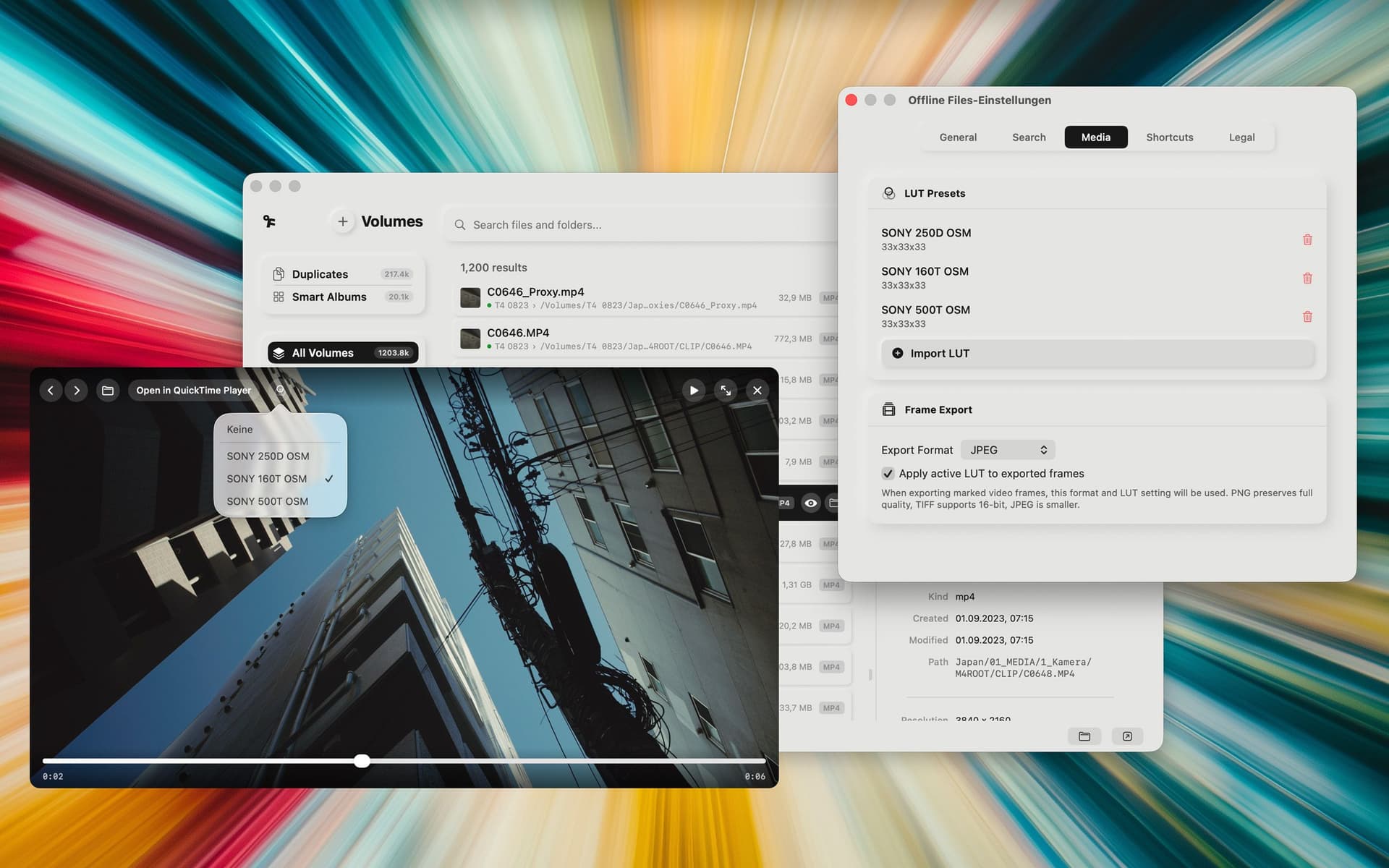
Nine languages: English, German, Spanish, French, Italian, Japanese, Chinese, Portuguese, Korean. So the app can meet people where they work and in the language they think in. Quick Preview for images and video, with LUT support: apply a look, preview it, mark frames, export them as PNG, TIFF, or JPEG, with or without the LUT baked in. Exposure compensation and fullscreen so you can actually judge the image. Gallery View For the times when you need to see, not scroll.
Smart Analyze
the app looks at your media, detects what's in it (people, objects, animals, scenes), and puts that into search. You type in your language; the app matches what it found. Smart Albums in the sidebar, optional, pausable. All without Internet.
In Settings you can upload your own LUTs, choose frame export format, and hide file types you never want to see in results. And search now understands Finder Tags. If you already tag in Finder, those tags work in Offline Files.
None of that came from a roadmap in a drawer. It came from people such as you saying what they needed and me trying to build it. Offline Files is still one thing: it helps you find files on drives that aren't connected. It's the answer to "which drive was that on?" The more you tell me what hurts in your workflow, the better that answer gets.
Offline Files 1.20 is on the Mac App Store. If that moment (one file, unknown drive) is familiar, it's for you. And if you have a wish or a gripe, send it. The next version is already listening.